
Carrier guide
Find better loads. Move faster.
Learn how to use Box Trucks Loadboard to find fresh freight, evaluate opportunities, understand rates, position your vehicle, and make smarter load decisions.
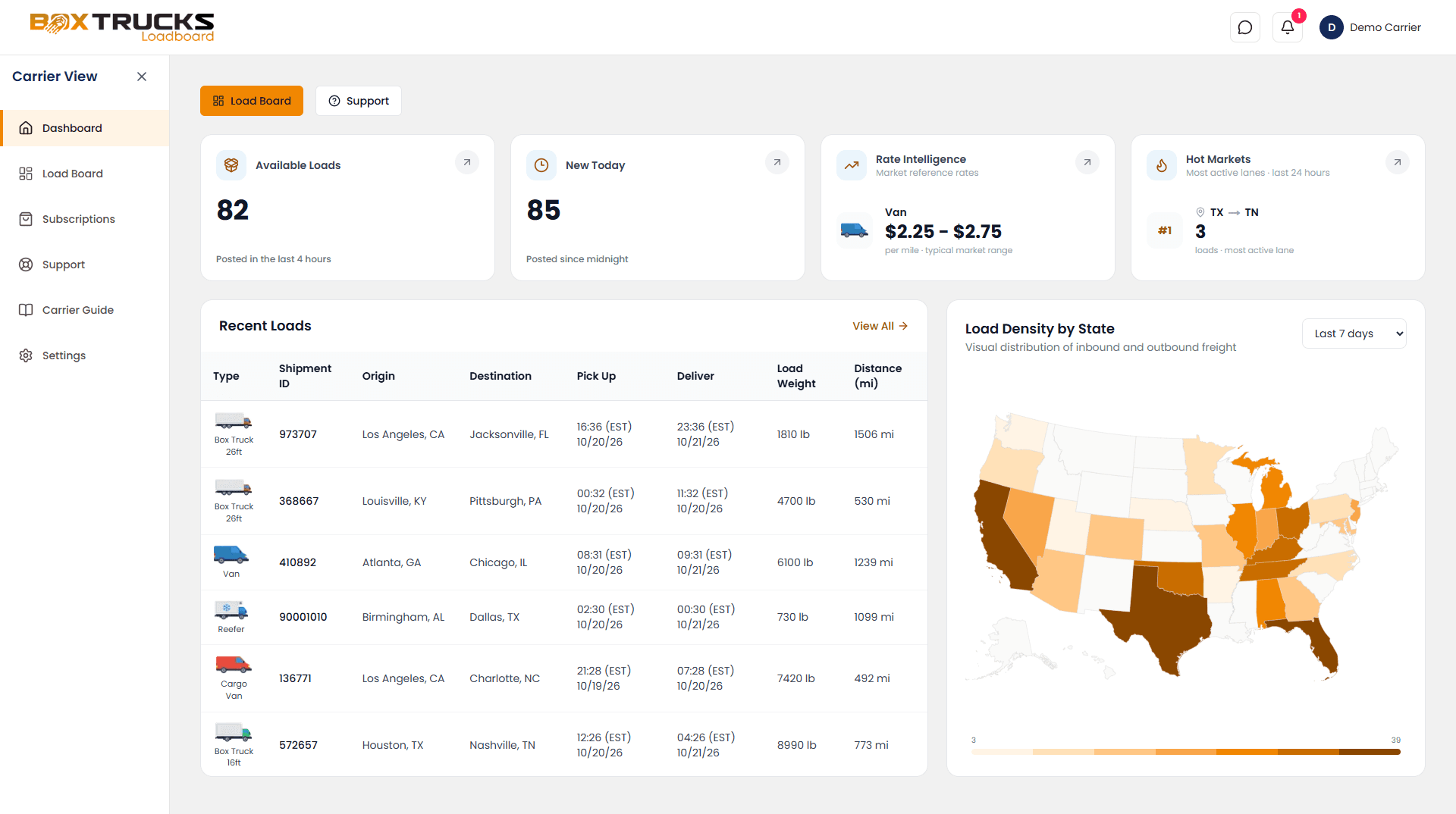
Box Trucks Loadboard is built for a fast-moving freight market
Loads can move quickly. Box Trucks Loadboard keeps recent loads visible for up to two hours, so the most useful opportunities are often the freshest ones. Don't treat the Loadboard like a static list, scan, evaluate, and act quickly when a load fits your operation.
Start here
The carrier skills that matter most
Box Trucks Loadboard gives you access to freight. The real advantage comes from knowing how to evaluate what you see.
Master the Loadboard
Learn how to quickly find, filter, and evaluate fresh freight.
Rates & RPM
Understand what the advertised rate really means for your trip.
Hot Markets
Learn how freight demand and positioning can influence your next move.
U.S. Freight Map
Understand how geography can affect your next load and repositioning.
The Box Trucks Loadboard workflow
Find → Evaluate → Act
- 01
Find
Scan fresh loads and narrow the board to opportunities that fit your vehicle and location.
- 02
Evaluate
Consider rate, RPM, deadhead, timing, equipment, destination, and market conditions.
- 03
Act
Prepare your offer, contact the broker, confirm the details, and move quickly.
Explore the guide
Everything in the Carrier Guide
Getting Started
- Welcome to Box Trucks LoadboardUnderstand how Box Trucks Loadboard works and how to get the most from a fast-moving freight market.
- How Box Trucks Loadboard WorksFollow a load from the Box Trucks Loadboard through your offer, broker communication, delivery, and payment.
- Your Box Trucks Loadboard DashboardGet familiar with the main areas of your carrier dashboard and use them to understand the freight market at a glance.
Loadboard
- Mastering the LoadboardLearn how to search, filter, and quickly evaluate available freight on Box Trucks Loadboard.
- Finding Fresh LoadsUnderstand Box Trucks Loadboard's two-hour visibility window and build a faster routine for finding newly posted freight.
- Evaluating a LoadLearn how to quickly decide whether a load fits your vehicle, schedule, route, and operating plan.
- Understanding Load DetailsLearn what the information on a Box Trucks Loadboard Load Information page tells you before you contact a broker.
Money & Rates
- Understanding Rates & RPMLearn how to evaluate freight rates, calculate RPM, and decide whether a load makes financial sense.
- Deadhead & True Trip EconomicsUnderstand the miles you drive without a paying load and how deadhead changes the real value of freight.
- How to Price Your OfferLearn how to turn market information, trip costs, and load conditions into a rate that makes sense for your business.
Offers & Booking
- Prepare an OfferTurn a load you're interested in into a clear, professional offer that is ready to send to the broker.
- Broker CommunicationKnow what to ask, confirm, and document when communicating with a broker.
- Before You Accept a LoadUse this final checklist to make sure the load, rate, timing, and requirements work for your operation before you commit.
Markets
- Understanding Freight MarketsLearn how location, freight demand, and your next destination can affect the opportunities available to you.
- Hot MarketsSee which states currently show stronger expedited freight activity and learn how to use market strength when planning your next move.
- U.S. Freight MapExplore freight activity and positioning opportunities across the country.
Your goal isn't to find the highest rate.
Your goal is to make the best overall move for your operation. The right load considers revenue, miles, deadhead, time, destination, market conditions, and what comes next.